01 / Mathematics
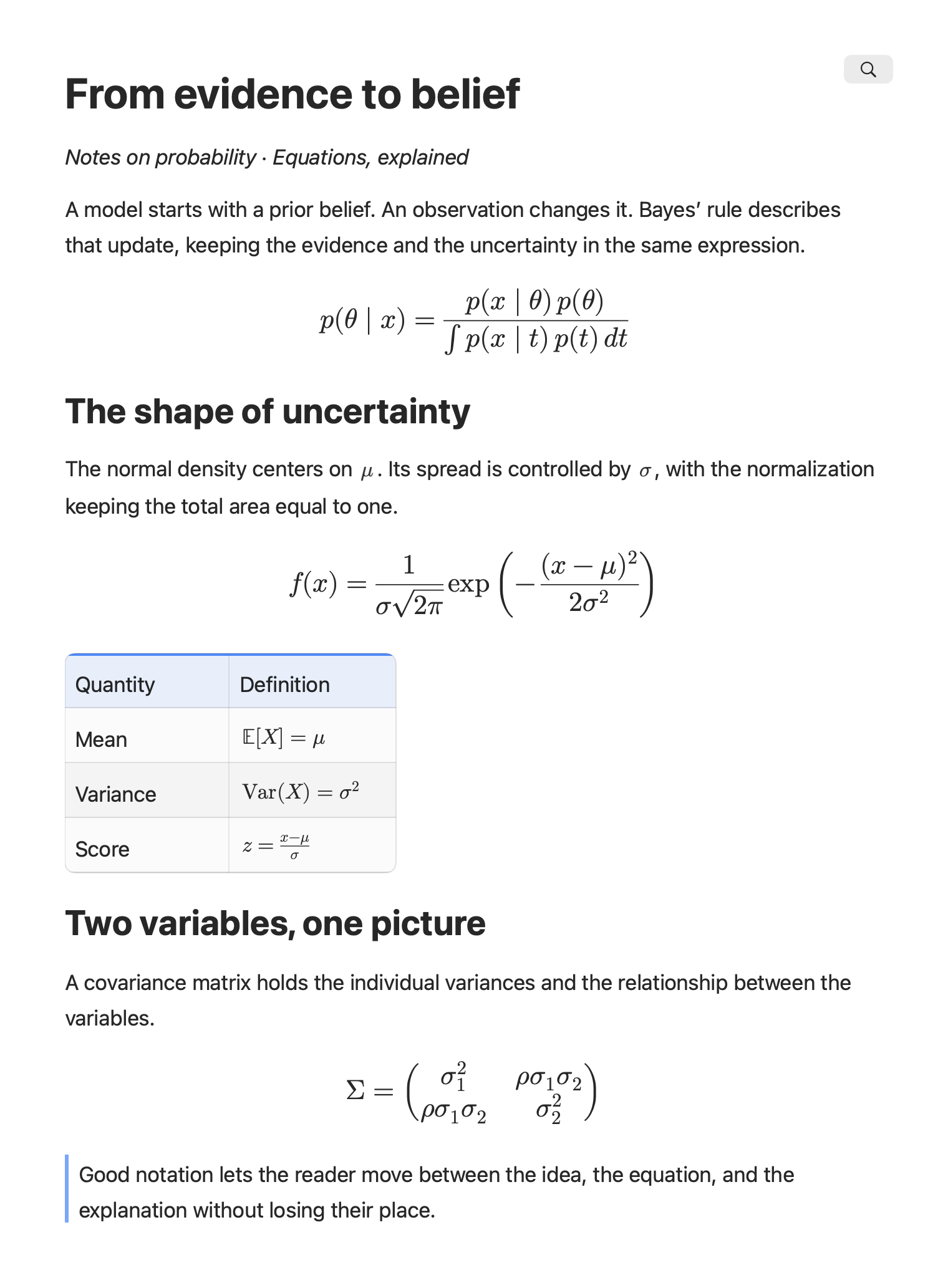
From evidence to belief
From an inline symbol to a covariance matrix. Equations belong in the flow of the document.
Native Markdown for SwiftUI
From a live AI reply to a complete research document. Typeset equations, draw diagrams, chart data and compose rich pages in native SwiftUI.

01 — Think it through
Equations and data, with every detail in place.
01 / Mathematics
From an inline symbol to a covariance matrix. Equations belong in the flow of the document.
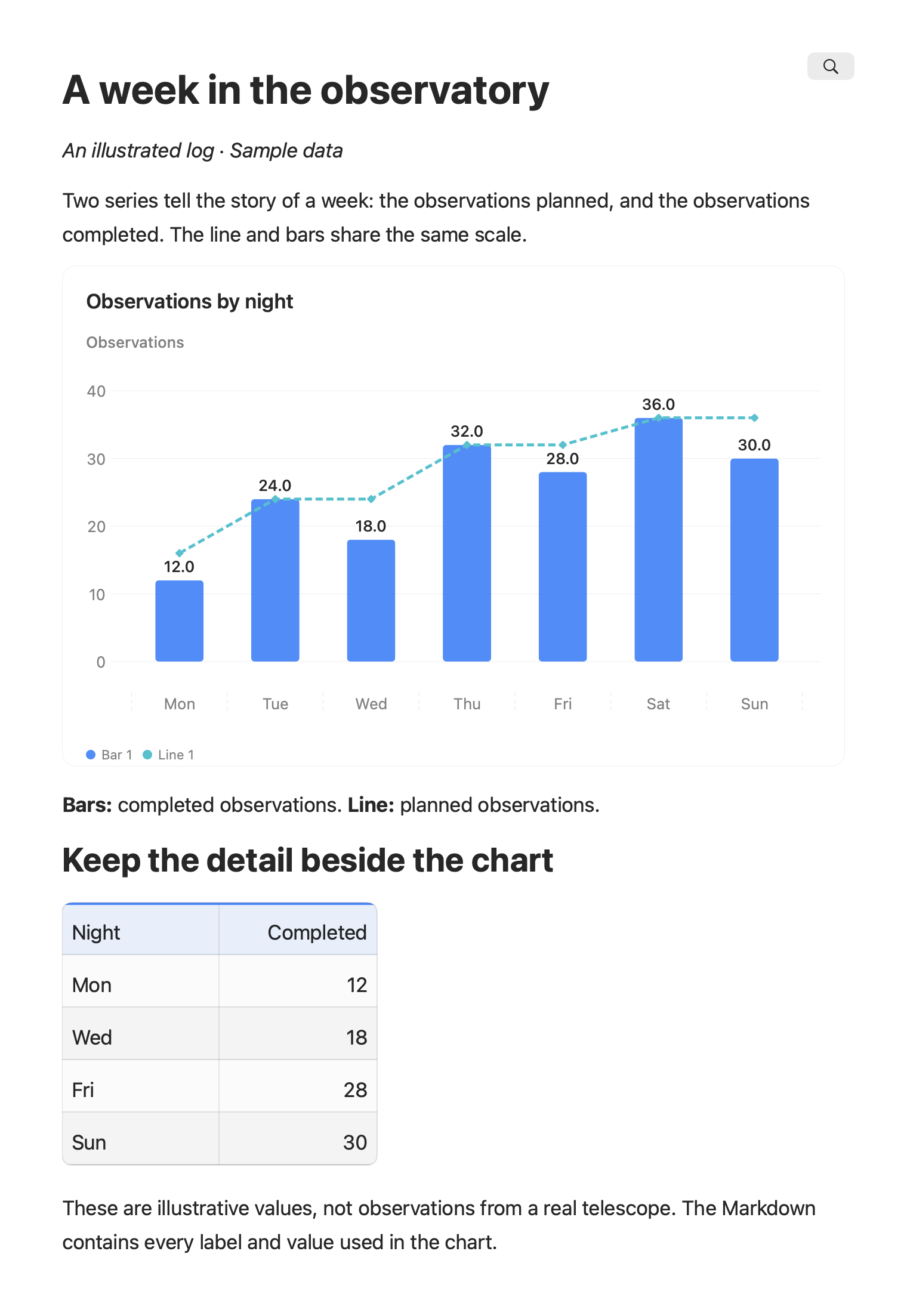
02 / Charts & data
Two series, one story. Native charts keep the labels and the data together. Illustrative observations.
02 — Connect the ideas
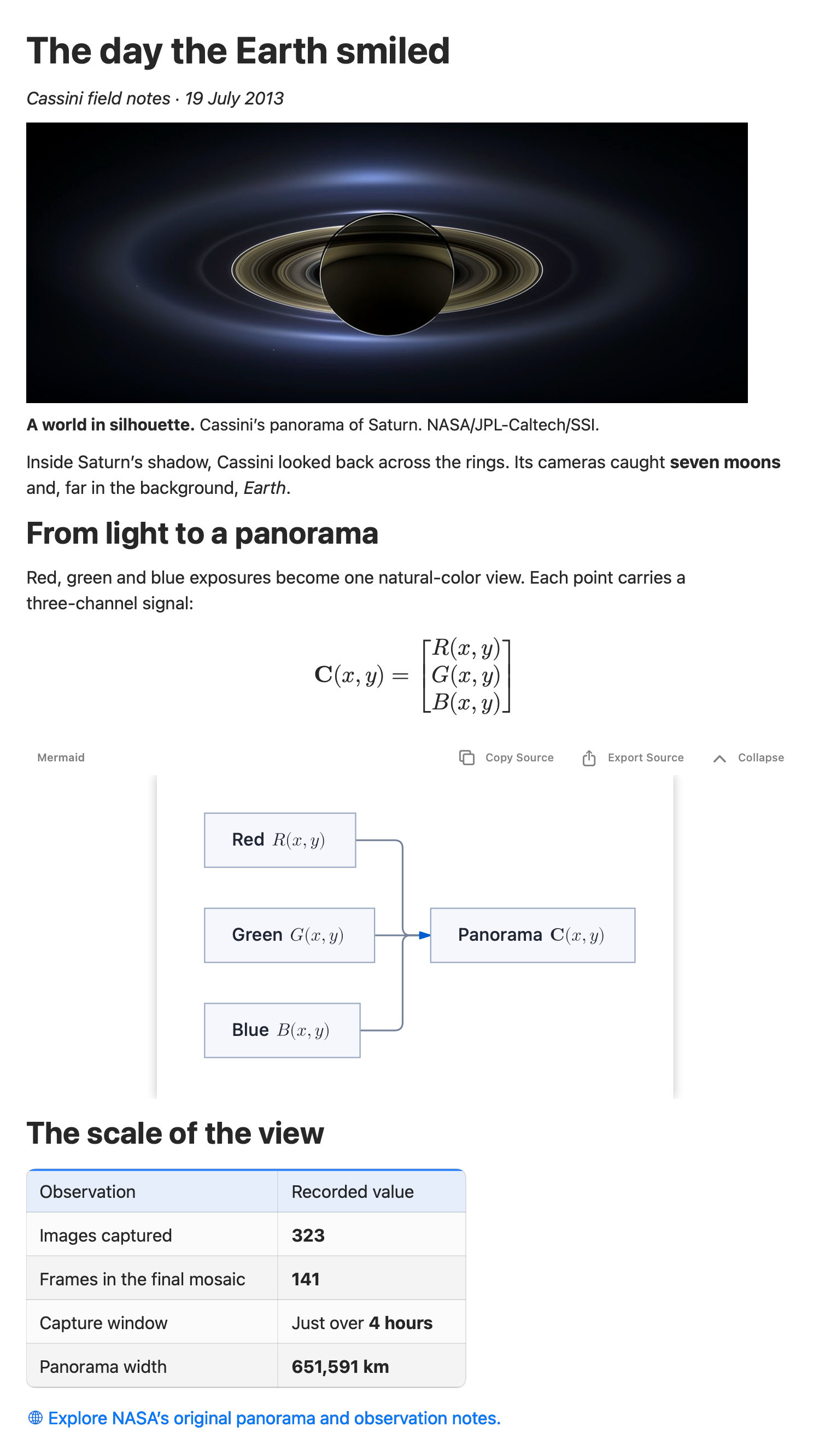
Conversations, decisions, plans. Give the relationships a shape.
Explore native diagrams ↗03 / Diagrams
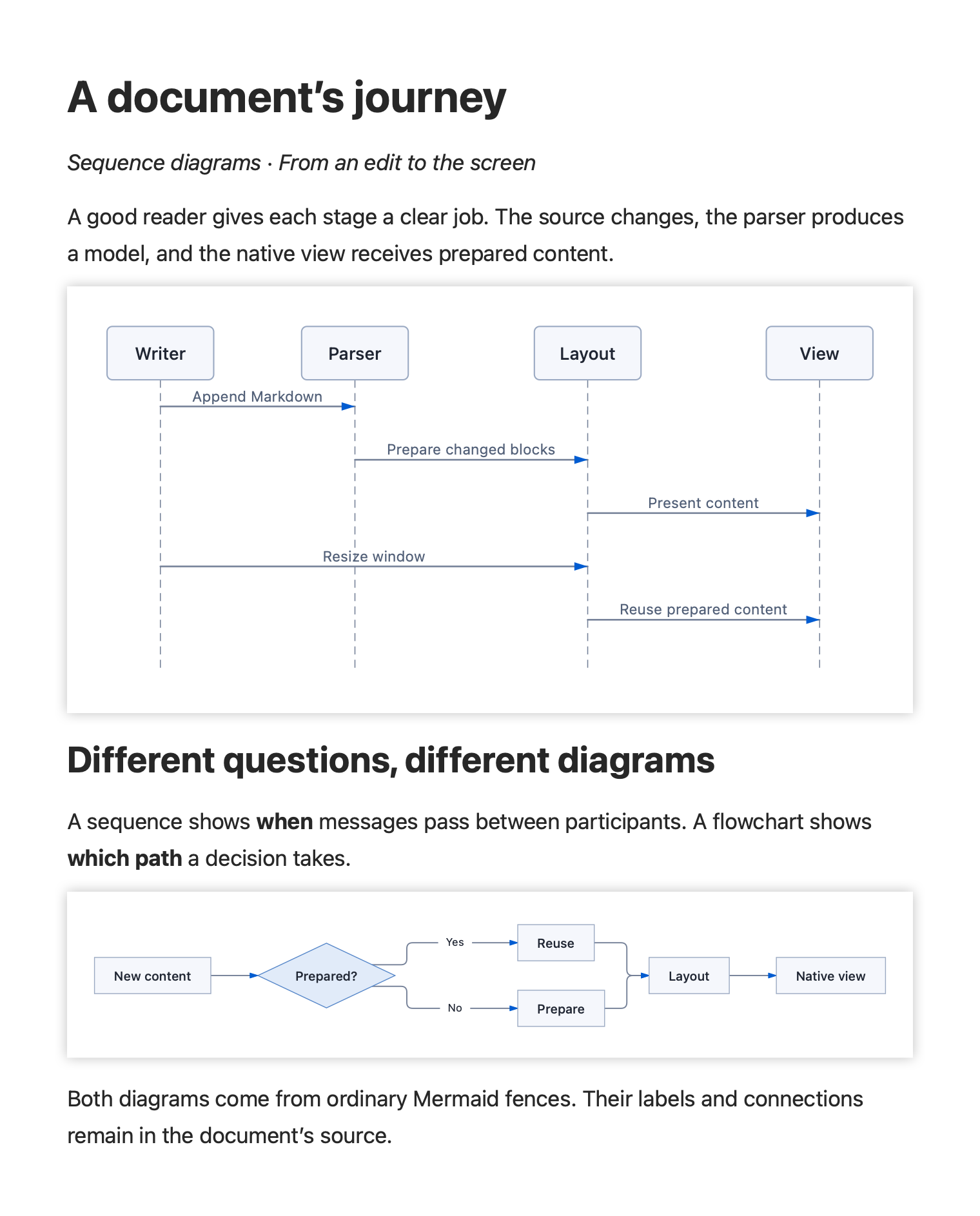
Follow the conversation. Trace the decision. Turn Mermaid source into native sequence diagrams and flowcharts.
04 / Mindmaps, pie & Gantt
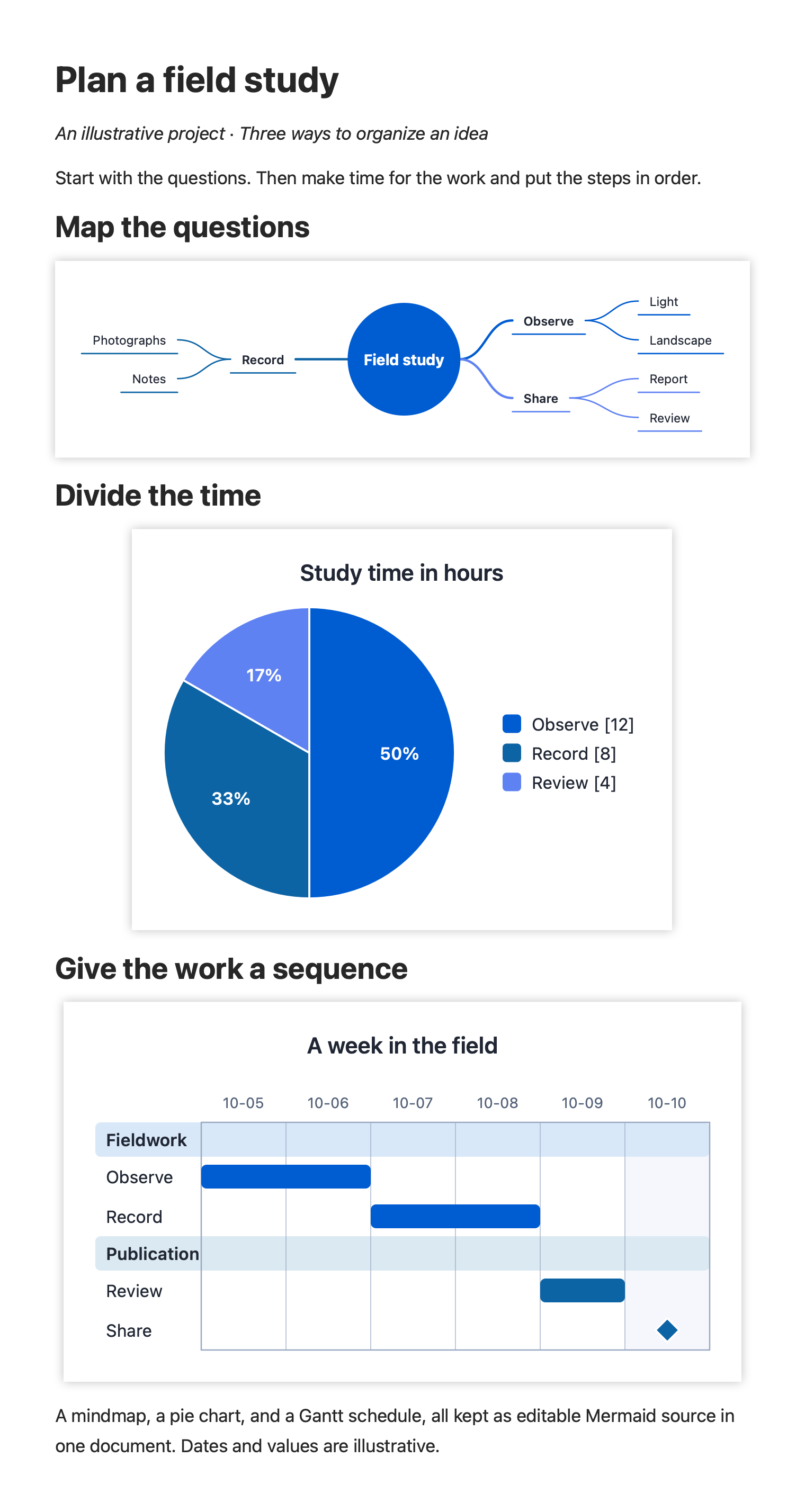
Explore an idea, divide the time, and put the work in order. Three diagram families turn the same illustrative project into three useful views.
03 — Find the rhythm
Let the words follow the image. Prose wraps beside the figure, then returns to the full page width.
See the wide and narrow layouts ↗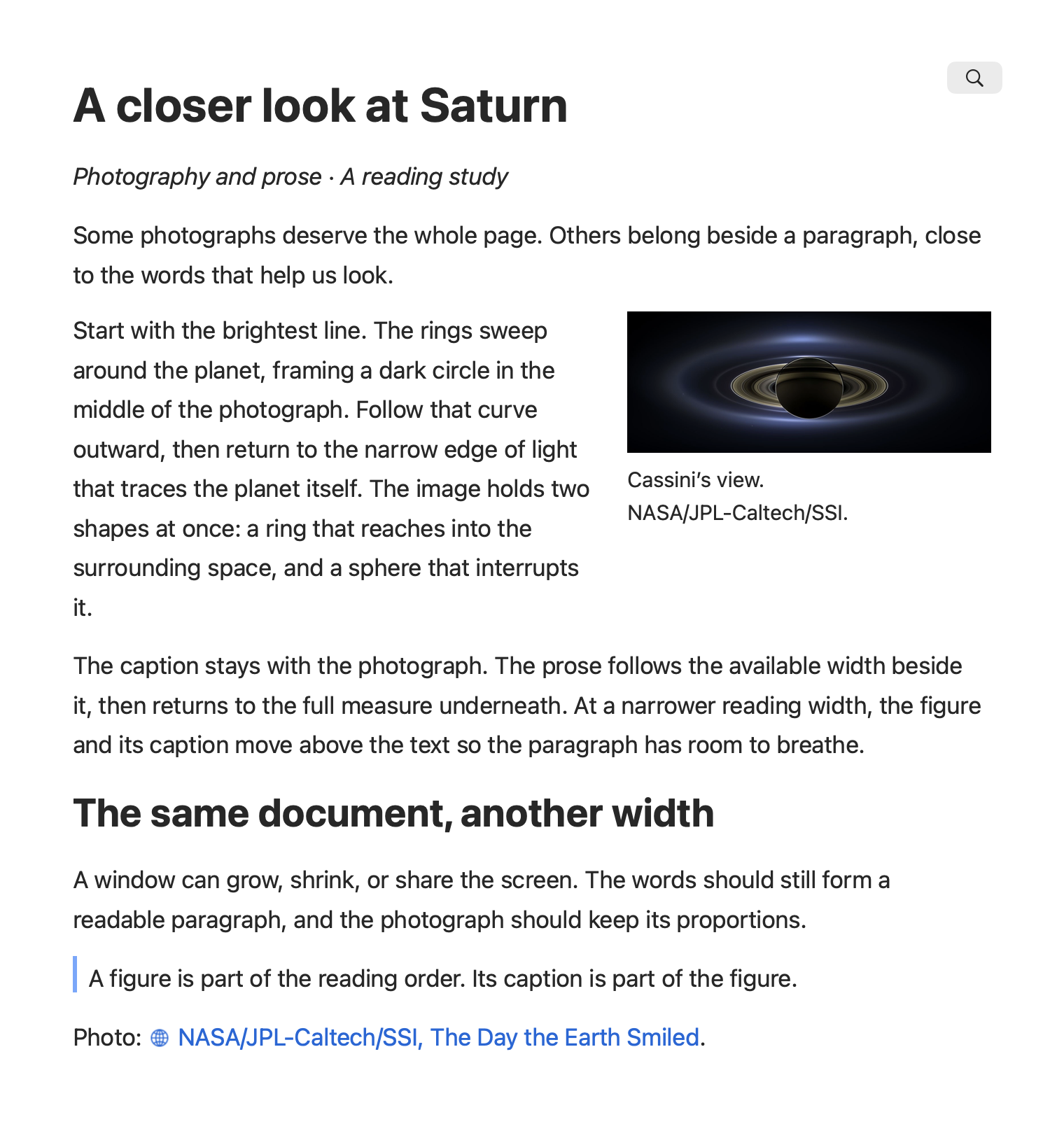
04 — Change the atmosphere
A native dark appearance for code and the words around it.
Explore the document ↗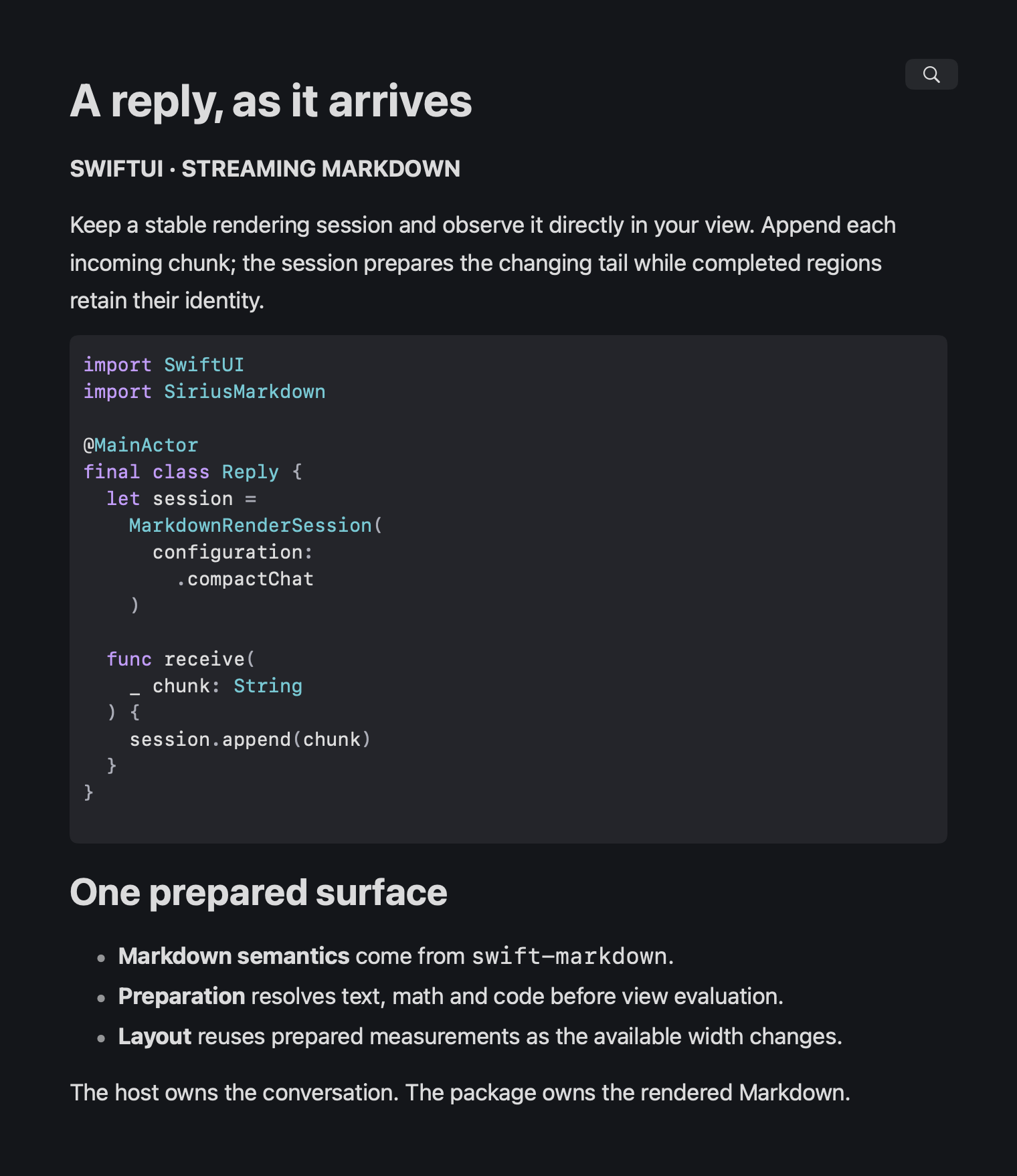
Syntax highlighting, structured prose, and a streaming model built around stable content.
How streaming works →Your app. Your document.
Native SwiftUI. Replaceable policies. Prepared content that can be reused as the page changes width.
import SwiftUI
import SiriusMarkdown

var stream = MarkdownStream()
stream.append("# Hello\n\nStreaming **Markdown** with $E = mc^2$.")
stream.finish()

let configuration = MarkdownRendererConfiguration.document
let prepared = configuration.prepare(snapshot: stream.snapshot())

MarkdownDocumentView(preparedSnapshot: prepared, configuration: configuration)