
Open it and run a take
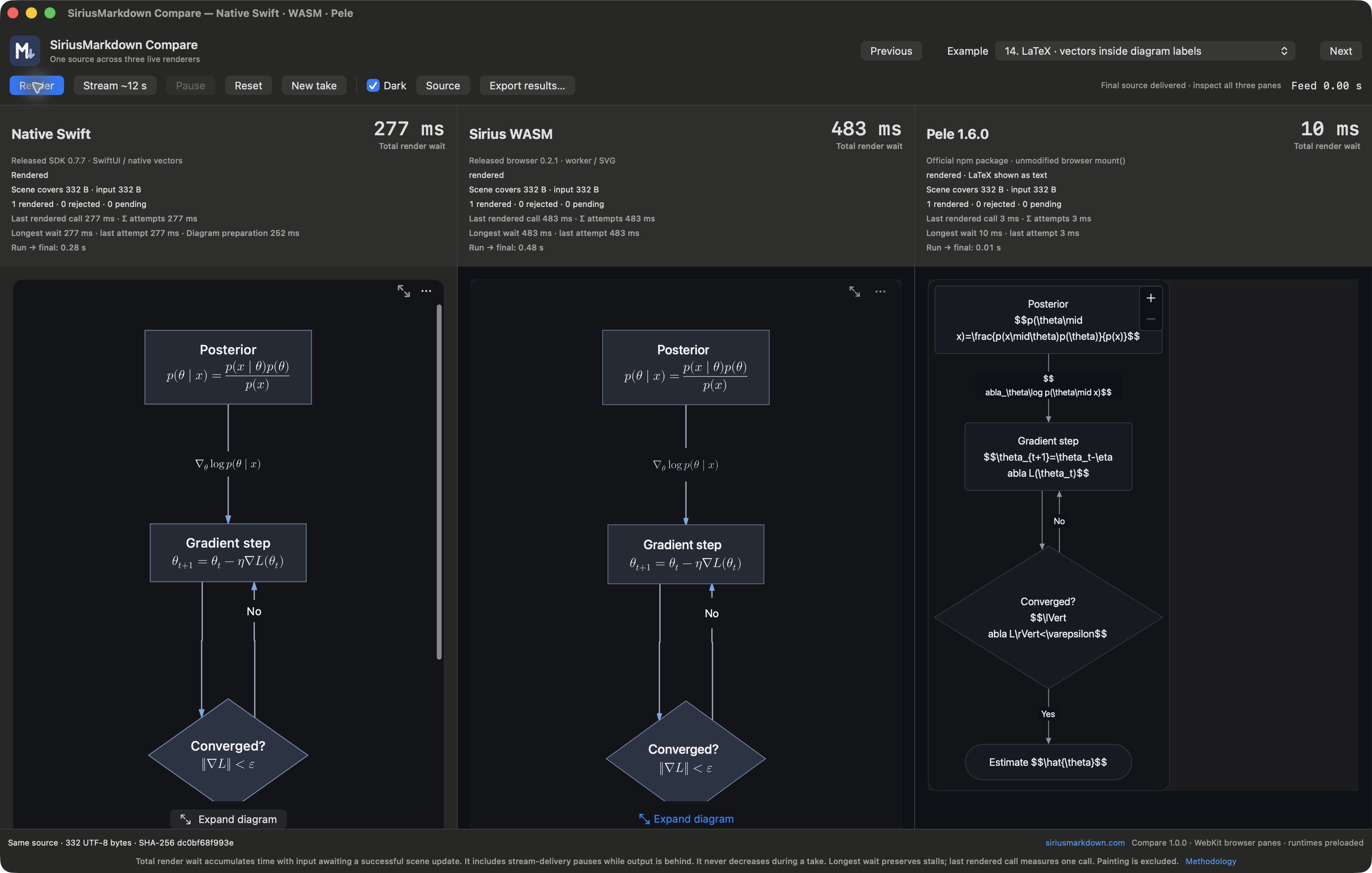
Drag SiriusMarkdown Compare to Applications and open it normally. Choose an example, then Render for the complete input or Stream to watch the same prefixes arrive in all three panes. Inspect the output before comparing the clocks.
One source, three visible results
The sixteen examples cover twelve chart families, horizontal XY charts, mathematical flowcharts and sequences, and a complex streaming diagram. They are a curated comparison, not an exhaustive compatibility suite. Look at the labels, layout, equations and source coverage alongside the numbers.
The app bundles the released SiriusMarkdown Swift SDK 0.7.7, browser 0.2.1, and the official, unmodified Pele 1.6.0 npm module. Your source and renderer resources stay on your Mac. No developer checkout or external server is required.
Open Source to edit or import a UTF-8 Mermaid file up to 64 KiB. Export results saves the exact source, hashes, release provenance, counts and timing records to a JSON file you choose.
Read the clocks
Total render wait accumulates wall time with input awaiting a successful scene update. Errors and later fast updates cannot erase an earlier stall. Streaming pauses count while output remains behind. Longest wait retains stalls, while Last rendered call measures one successful update.
The native endpoint is the SDK's prepared SwiftUI publication. The browser endpoints include preparation and mounting. They do different work, and display painting is excluded. These numbers are not a CPU microbenchmark ranking. The in-app methodology explains the endpoints, retained output, unfinished frontiers and caches.
Reset clears a take while retaining loaded runtimes and caches. New take restarts the app and browser workers. The feed targets twelve seconds; the actual duration is displayed.
SiriusMarkdown Compare is made by Mikholae Hutchinson. Pele is a separate project by kepano; inclusion does not imply endorsement. Licenses, notices and corresponding-source information are bundled in the app.